
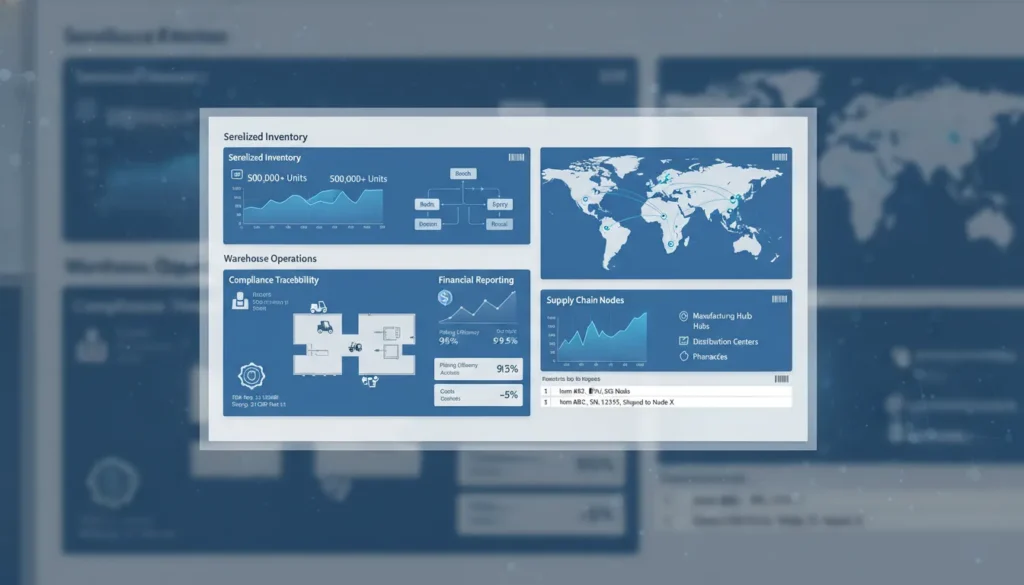
Disconnected systems turn a routine lot inquiry into a compliance fire drill. Pharmaceutical distributors need modules that connect serialized movement, inventory, orders, and finance in one record.
Pharmaceutical ERP modules give distributors a controlled system for serialized traceability, lot and expiration inventory, compliance records, order fulfillment, warehouse execution, and financial control. A distributor should prioritize serialization, inventory and warehouse management, compliance audit trails, order management, returns handling, and finance that reconciles transactions to product movement. The FDA identifies warehousing and distribution activities among the pharmaceutical operations supported by computer systems, with records central to controlled product distribution. That connection helps teams locate a lot, document each handoff, investigate exceptions, and respond with reliable records instead of searching separate files. RxERP is pharma-native, fully serialized ERP for distributors, joining compliance, operations, and cash flow workflows within one platform designed for pharmaceutical distribution.
The practical question is not whether distributors need ERP, but which modules keep every serialized move visible and every business transaction accountable. Pharmaceutical ERP modules that distributors should prioritize identifies the operating core first, before evaluating added workflows. Here’s how.
Pharmaceutical ERP modules that distributors should prioritize
A compliance-first module stack
For distributors, pharmaceutical ERP modules should begin with traceability, inventory control, compliance records, and financial management. A general ERP feature checklist may cover orders and accounting. It does not start with the records needed when serialized product moves through a regulated supply chain.
The first layer should connect serial numbers, lot numbers, expiration dates, locations, and trading partner records. The Drug Supply Chain Security Act discussion explains why a secured pharmaceutical supply chain depends on traceability. If receipt, pick, ship, and return events live in separate systems, a team must piece together the product history later.
Traceability tied to warehouse work
Serialization alone is not an operating model. A distributor also needs inventory and warehouse functions that use serialized records during daily work. Those functions should support receiving, quarantine status, allocation, shipment, returns, and recall review without shifting data between disconnected tools.
The FDA notes that computerized systems are used for the management of warehousing and distribution activities. That point matters in module selection. Traceability records have more value when warehouse actions create them at the same time product changes hands or status.
- Serialization and traceability: Record product identity and movement across receipt, sale, return, and recall tasks.
- Inventory and warehouse control: Manage lot, expiry, location, status, and serialized fulfillment in one workflow.
- Compliance records: Keep audit trails and transaction records linked to the product event.
- Financial management: Connect buying, selling, invoicing, and inventory value to the same operating data.
Why unified modules matter
Fragmented systems change compliance work into a reconciliation exercise. Staff may need to compare a warehouse record with a serialization file, invoice, and return log. That split also makes normal questions harder: what is on hand, what can ship, and which transaction created a balance?
A pharma-native platform is built around regulated product flow, rather than adding that logic after core accounting is selected. RxERP’s guide to purpose-built pharmaceutical ERP modules expands on lot traceability, expiration management, and regulatory needs. For distributors, the priority is a connected module stack that links product proof with daily operations and financial control.
DSCSA serialization and traceability modules
Serialization is not a side process for a pharmaceutical distributor. It connects product identity, inventory movement, partner data, and compliance records in one flow. The Drug Supply Chain Security Act helps secure the drug supply chain against suspect products. This goal is explained in a DSCSA review.
Serialized product identity
A serialization module records each saleable unit with its product identifier. It then tracks that unit as it moves. The record stays tied to receiving, storage, picking, shipment, return, and investigation work. Teams can look up one unit without searching across separate tools or paper files.
This link between the product and its digital record is central to a serialized ERP platform. Wholesalers, 3PLs, repackagers, and specialty pharmacies can keep status clear when stock changes hands, locations, or owners.
Transaction data across partners
Traceability depends on clean data exchange, not just a serial number stored at receipt. Pharmaceutical ERP modules should handle EPCIS event data and ASN details alongside warehouse actions. A team can match expected, received, and shipped units in the same record.
The module should also retain transaction information, transaction history, and transaction statements, often called T3 records. When a partner asks about a package, staff need a clear chain of custody. That view shows each receipt, transfer, sale, return, or quarantine event.
Trading partner management adds control to those exchanges. The system can link approved partners, contacts, data connections, and issue history to each transaction. When data is missing or mismatched, an exception queue gives staff a path to review it before product moves.
Audit-ready exception control
Traceability records must also be usable during review. The FDA notes that computerized systems support warehousing and distribution work in drug establishments. Its inspection guide for computerized systems gives added context. A module should preserve dated actions, status changes, and support documents in an orderly record.
Audit readiness is easier when serial data, partner exchanges, and exceptions sit beside daily operations. Staff can follow a unit from receipt through shipment. They can also review held product or supply records for an inquiry. The goal is a traceable workflow that stays clear when time and accuracy matter.
Inventory, warehouse, and 3PL operations modules
Lot and expiry control
Inventory modules in a pharmaceutical ERP need more than an on-hand quantity. Each receipt should carry the lot number, expiration date, status, owner, and storage rules through every move. That record lets a distributor hold, release, pick, or return product without losing its history.
Warehouse records also support quality oversight. The FDA notes that computerized systems manage warehousing and distribution activities in drug establishments. A useful workflow links receiving checks, quarantine status, temperature handling flags, and approved release to the same lot record.
Expiration rules should drive daily work. Teams can flag short-dated product before allocation, then pick eligible stock by first-expire, first-out rules. A hold on a lot should stop affected stock across all bins and locations. These controls help prevent a shipment from outrunning its inventory status.
Warehouse execution
A location model starts at the facility and extends to zones, racks, and bins. It should show available, held, damaged, returned, and staged units separately. Receiving staff can confirm the shipment, scan the lot data, note handling needs, and route product to a valid putaway location.
Directed picking uses the same records in reverse. It sends a picker to approved stock that meets lot, expiry, client, and storage rules. That matters for cold-chain or controlled handling items, where a temperature flag can shape receiving, storage, packing, and exception review.
- Receiving: capture lot, expiration, owner, quantity, and condition at arrival.
- Putaway: direct each accepted unit to a permitted bin and storage zone.
- Cycle counts: count by bin, lot, or client without stopping all warehouse work.
- Returns: hold returned goods for review before any restock or disposal decision.
These are not separate warehouse chores. They are linked inventory events. When reviewing advanced inventory management ERP modules, distributors should ask whether a count adjustment or return preserves lot and location history.
Multi-client 3PL workflows
A 3PL needs inventory separation by client, even when products share a building. The system should keep ownership, client rules, lot status, and usable quantities distinct. A client-specific pick should not draw stock from another owner’s available balance.
Billing begins with tracked warehouse events. Receiving, pallet storage, bin moves, case picks, serial or lot handling, returns, and special temperature work can become charge events. Finance staff can then review activity by client before invoices are issued, rather than rebuild usage from spreadsheets.
Traceability remains part of the warehouse design. DSCSA is aimed at securing the pharmaceutical supply chain against substandard and counterfeit medicines, as described in a peer-reviewed DSCSA overview. For a 3PL, linked lot, movement, owner, and billing records make client service easier to explain and inspect.
Commercial, financial, and reporting modules
Commercial and financial pharmaceutical ERP modules connect demand, purchasing, revenue, and cash decisions in one operating view. For distributors, a sale does not end at shipment. It also affects replenishment, credits, payment timing, and the margin left after product and service costs are known.
Orders, purchasing, and contract terms
Sales order management should bring customer items, approved terms, quantities, and fulfillment status into the same workflow. Purchasing should show buyers what must be sourced and when. Together, those views help teams act on a demand change without passing spreadsheets between sales, operations, and finance.
Pricing and contract management should keep deal terms clear at order entry. That includes customer pricing rules, vendor terms, rebates, fees, and exceptions that need review. The goal is simple: confirm the commercial terms before a transaction becomes an invoice, a dispute, or a margin question.
Clean customer and vendor records support this process. A CRM view can organize contacts, account terms, service needs, and order history. Vendor data can track purchasing terms, item availability, and open commitments. The FDA inspection guide on computerized systems lists management of warehousing and distribution activities among uses of computer systems in drug establishments.
Accounting and margin visibility
Accounting is more useful when it receives clean order and purchase data from the same business process. Teams can then review receivables, payables, credits, adjustments, and general ledger activity with less manual matching. For a finance team assessing this workflow, integrated financial ERP modules provide relevant context on connected finance processes.
Margin reporting should make a practical question easy to answer: which products, customers, or channels are producing healthy returns? Reports should connect selling price with product cost and agreed commercial charges. If a charge is missing or a price rule is wrong, teams need to spot it before the period closes.
Reporting and working capital decisions
Business intelligence should turn daily transactions into views managers can use. Useful dashboards include open sales orders, pending purchase needs, aged receivables, vendor obligations, margin by account, and inventory tied to cash. These views help commercial and finance leaders discuss the same signals, rather than defend separate reports.
Working capital visibility also supports timing decisions. Leaders can compare incoming payments, planned purchasing, and stock commitments before approving new buys or changing account terms. When selecting a unified platform, review the fit of its pharmaceutical ERP modules and schedule a demo around your order-to-cash workflow.
How do pharma-native ERP modules differ from standard ERP?
Standard ERP modules can record purchases, sales, inventory, and finance across many industries. Pharmaceutical ERP modules must keep those workflows tied to product identity, handling status, and regulated distribution records. For a distributor or 3PL, that difference shapes daily work and audit readiness.
An overview of purpose-built pharmaceutical ERP modules helps show why industry fit is not a feature list. It is a data model that follows each saleable unit, lot, owner, shipment, and related transaction.
Module-by-module differences
The core difference becomes clear when modules are viewed as one controlled flow. A basic inventory action may also affect traceability, compliance review, client billing, and the record needed during an audit.
| Area | Standard ERP module | Pharma-native ERP module |
|---|---|---|
| Traceability | Tracks items, lots, and orders. | Connects serial, lot, order, and movement records. |
| Compliance | Adds rules through separate tools or setup. | Builds controlled records into daily transactions. |
| Inventory | Manages quantity and location. | Tracks status, owner, expiry, and serialized movement. |
| Validation | Needs custom proof for configured processes. | Supports defined workflows and audit evidence. |
| 3PL billing | Bills from general service data. | Connects client stock activity to charge events. |
| Integrations | Exchanges broad business data. | Preserves regulated product and transaction context. |
Traceability is not separate from operations in a drug supply chain. DSCSA was created to secure that supply chain against substandard and counterfeit medicines. A published DSCSA review describes that purpose and the role of a secure supply chain.
In practice, staff need to follow a shipment record without opening several unrelated systems. When a status changes, the linked inventory, order, and movement history should remain clear. That reduces time spent rebuilding an event trail after a question or exception.
Built-in compliance controls
Built-in compliance means controlled actions occur within the same workflow used to receive, ship, bill, and reconcile product. It reduces the need to copy records between separate tools. It also reduces disputes over which data set reflects the completed transaction.
The FDA guidance on computerized systems notes their use in warehousing and distribution activities at drug establishments. It also addresses quarantine systems and key manufacturing steps. Record control is therefore part of operating work, not a separate reporting task.
Validation also changes the module question. A general system can be configured for a workflow, but each added process needs clear controls and evidence. A pharma-native design starts with regulated actions in mind, so validation work maps to the work users perform.
Operations across partners
Standard ERP may rely on added systems for serialization, validation evidence, or logistics billing. When interfaces carry regulated data, teams must know which record is current. They also need to see how an exception was fixed.
For 3PL operations, pharma-native design connects inventory held by client, serialized movement, and charge triggers. This link matters when stock belongs to more than one customer. Billing can follow recorded handling events, rather than a separate file built after the work is complete.
For distributors, pharma-native modules keep release, expiry, return, and sale records aligned as product moves. The key gain is not more screens or more fields. It is one usable flow for compliance, inventory control, finance, and trading partner work.
How should distributors choose and implement ERP modules?
Choosing pharmaceutical ERP modules starts with the flow of product and data, not a feature list. A distributor needs to see where inventory status, trading partner records, saleable returns, finance, and shipment data meet compliance work. The FDA guidance on computerized systems notes that drug establishments use these systems for warehousing and distribution activities.
A risk-based selection path
The right sequence makes gaps visible before a team compares screens or prices. It also gives vendors a clear test: show how the system handles daily work and exceptions. Use these five steps to select modules and plan implementation.
-
Map regulated workflows. Trace inbound receipt, product status, pick and ship, returns, reconciliation, and financial posting. Name who handles each step, which data moves with the product, and where a record must be retrieved later.
-
Find compliance gaps. Mark manual handoffs, missing audit evidence, duplicate entries, and delays in product tracing. Focus first on gaps that could block a shipment, slow a response, or make a review harder.
-
Validate data and integrations. List item masters, lot or serial data, trading partners, customers, orders, accounting records, and warehouse events. Ask how each record will migrate, sync, be checked, and remain available during a changeover.
-
Rank modules by risk and revenue. Start with modules tied to traceability, inventory control, order release, and cash flow. A lower-risk reporting convenience can follow after the workflows that protect product movement and invoicing are stable.
-
Run demos with real workflows. Give each vendor representative scenarios from your operation, including an exception such as a returned product or a serial mismatch. Require the demo to show the record trail, user actions, and downstream financial effect.
Evidence for module priorities
Traceability must be part of the initial review. A review of the Drug Supply Chain Security Act describes securing the pharmaceutical supply chain against substandard and counterfeit medicines. For a distributor, that makes data capture and retrieval practical selection tests, not optional demo extras.
After compliance workflows are mapped, compare the connected operational modules. Inventory, ordering, warehouse work, returns, and financial posting should be reviewed through one end-to-end order path. RxERP’s guide to purpose-built pharmaceutical ERP modules can help teams frame this review around pharma operations.
Implementation controls
A module choice is not ready for launch until the team defines owners, acceptance tests, migration checks, and training needs. Build test cases from actual receipts, picks, shipments, returns, and financial postings. Include exception cases, because routine transactions rarely reveal a weak control.
Use a phased rollout when it reduces operational risk. Start with the modules and data flows that the mapping exercise ranked highest, then verify results before expanding scope. Each phase should end with retrieved records, reconciled data, and users who can follow the agreed workflow without a side spreadsheet.
Do small pharma distributors need a full module suite?
A smaller, integrated starting point
No. A small distributor does not need every enterprise feature on day one. It does need connected controls for the work it already performs. For a specialty pharmacy, micro-distributor, or virtual manufacturer, the right start is a focused set of pharmaceutical ERP modules. That set keeps product, order, traceability, and financial data together.
Scale does not remove the need for control. The FDA notes that computer systems manage warehousing and distribution activities in drug establishments. A small operation should avoid spreadsheets or separate apps that force staff to re-enter key product and shipment details.
Core modules before optional tools
A right-sized system begins with the workflows that protect inventory and support traceable movement. That usually means serialization and traceability, inventory controls, purchasing and sales order flow, and finance in one system. A virtual manufacturer may also need clear handling of contract production records. A specialty pharmacy may put more weight on high-value inventory visibility.
These are not the same as buying a large suite filled with unused functions. The question is whether one transaction carries consistent item, lot, serial, customer, and payment data through each step. RxERP’s guide to purpose-built pharmaceutical ERP modules gives added context for teams comparing core functions with general business tools.
Optional modules can follow actual need. A small distributor may add e-commerce links, deeper analytics, or client billing once volumes and service models call for them. A virtual manufacturer may add more production or partner workflows as its network expands. Starting with an integrated core keeps adoption practical while leaving room to grow.
A practical scope check
Before selecting modules, map the product path from receipt or production release through sale and shipment. Mark each point where staff must record product identity, quantity, status, or money. If a planned module does not support a required step, delay it. If a required step lives in a disconnected tool, bring it into scope.
The goal is not the fewest modules. It is the smallest connected set that fits the business model and supports sound control. Small pharma operations can start lean without accepting gaps in traceability, inventory accuracy, or financial visibility. As order volume, partners, or customer requirements change, they can add functions on the same integrated base.
That approach also helps a team judge new requests. Add a module when it removes a real handoff, control gap, or repeated task. Do not add one only because a broad enterprise package includes it.
Frequently Asked Questions
What pharmaceutical ERP modules are essential for a distributor?
A pharmaceutical distributor needs serialization and traceability, inventory and warehouse control, order management, compliance records, and financial management in one data flow. The FDA identifies computerized systems as part of managing warehousing and distribution activities in drug establishments. A pharma-native ERP should connect receipt, lot and serial tracking, shipment, return handling, and accounting without duplicate records.
How does a pharma-native ERP support 21 CFR Part 11 compliance?
Pharma-native ERP software supports Part 11 workflows through controlled electronic records, secure user access, audit trails, and electronic signature functions where applicable. A validated computer system must preserve accurate, secure GxP data and processes, as discussed in this pharmaceutical validation review. Distributors still need documented procedures, training, role controls, and validation evidence for their intended use.
Why is bidirectional traceability critical in pharmaceutical ERP modules?
Bidirectional traceability lets a distributor follow a product from receipt through storage and shipment, then trace it back during investigations or returns. Serialization and transaction history help identify affected trading partners and product units faster. Under the DSCSA, traceability is central to supply chain security, as described in a peer-reviewed review of the law. Modules should keep these records connected to inventory movements.
Do small pharmaceutical distributors need full-suite ERP modules?
Small pharmaceutical distributors do not always need every enterprise module at launch. They do need controls that match their products, trading partners, regulatory responsibilities, inventory risks, and financial processes. A practical rollout often prioritizes serialization, traceability, inventory, order processing, compliance records, and accounting integration. Later modules should be added when operational complexity or reporting needs justify them, rather than forcing disconnected tools into core workflows.
Ready to schedule a pharma-native ERP demo?
Waiting to unify your modules keeps compliance work, inventory decisions, and financial control divided across daily workflows. Starting now gives your team time to map requirements before fragmented processes create another avoidable bottleneck. A focused review can clarify which connected workflows support traceability, product movement, and financial visibility.
Ready to choose a system built around pharmaceutical distribution operations? Schedule a demo to review your serialization, inventory, compliance, and finance needs with RxERP. Bring your current module list and workflow questions, then identify practical next steps for a unified platform. Contact RxERP today to begin planning with a clearer path forward. The earlier your team evaluates fit, the sooner it can organize implementation priorities and decision points across affected business teams.